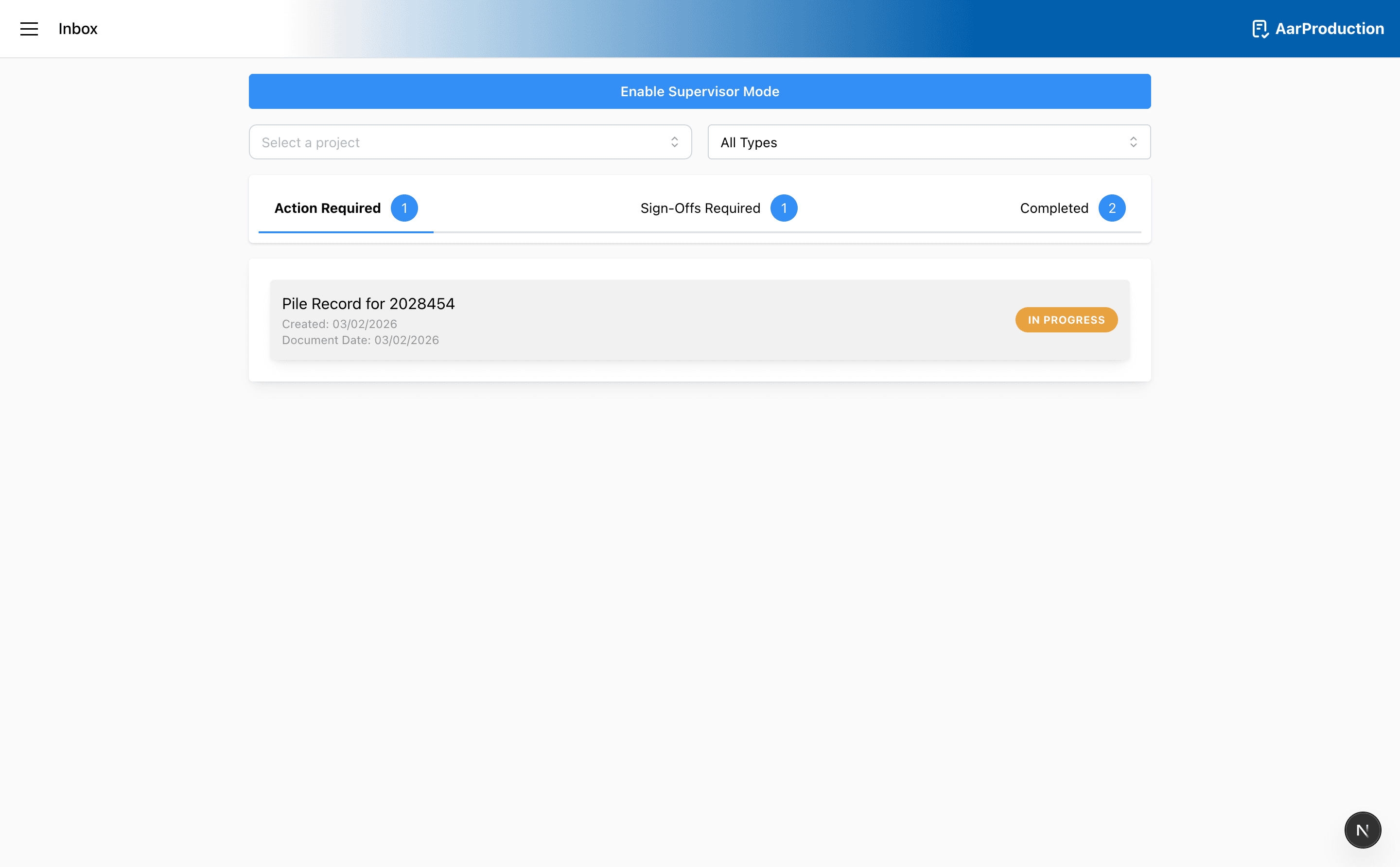
Inbox
The inbox helps you track records that still need attention.
Tabs
- Action Required shows records that still need work from you
- Sign-Offs Required shows records waiting for approval or completion steps
- Completed shows finished records
Filters
- Use the job field to narrow the list to a single project
- Use the type filter to show only the record type you want to review
Tips
- Reopen an item from the inbox instead of creating the same record again
- If you are a supervisor, extra options may appear for broader record views
Client sign-off modal
- Records that require sign-off can open a client sign modal from the inbox
- The modal now captures the approver name and approver role before the record can be completed
- The available approver roles are Site Manager and Engineer
- A signature can be drawn in the signature pad and submitted with Save
- If the client will not sign, use Client Not Signing instead
- When Client Not Signing is used, comments become required and the record is stored as completed without an approver signature image
- In both paths, the record is marked as completed and the inbox item is moved out of the active sign-off queue
Important
Use the inbox to continue existing work whenever possible. Starting a new record for the same task can create duplicates.